skprJMP is a software add-in for the JMP statistical software application that provides organizations using JMP with highly accurate Monte Carlo-based power calculation tools.

The skprJMP add-in provides a point-and-click graphical user interface written in the JMP scripting language (JSL) to generate and evaluate experimental designs when the response is a probability.
skprJMP provides the following features:
1. Design Import and Generation: skprJMP allows analysts to import an existing design from their filesystem or local JMP session as well as use JMP’s custom design interface to generate a design directly within the add-in. This interface supports any kind of tabular data format that the JMP software can import.
2. Model Specification: skprJMP provides a JMP-style interface for specifying and building a model, allowing users to specify interactions and add and remove model terms easily.
3. Monte Carlo Power Calculation: the software automates the complex process of performing a Monte Carlo power analysis to get accurate, state-of-the-art power estimates, with the precision controlled by the user-controllable number of simulations. The power output also uses the user-specified power threshold to label which terms do and do not have adequate power for a given design, as well as informing the users if they need to increase the number of simulations due to the power falling within the Monte Carlo error (see Figure 2 for an image of the power output pane).
4. Reproducibility: the user can specify a random seed to ensure that they (or other organizations) can reproduce the results of any single power analysis at a future date, given the same input design.
5. Effect Size Calculation: skprJMP automates the calculation of binomial effect sizes using a user-friendly probability range as the input.
6. Firth Correction Support: Logistic regression can be degraded from a type of degeneracy called “separation,” where the model fails to converge for certain arrangements of data. skprJMP provides an option to analyze the simulations using a Firth correction, which fixes this issue.

You can download the skprJMP add-in here:
Installation:
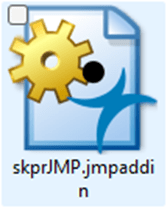
1 - Open the skprJMP.jmpaddin file (either by double clicking on the file or via the File menu -> Open in JMP):
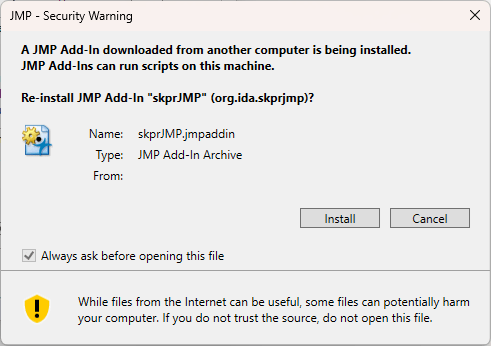
2 - Click install:
3 - Open the skprJMP application, located in the “Add-Ins” menu in JMP: